In Exchange Online, you may encounter issues where a user reports meeting invites not being saved or delivered, or that they’re unable to delete items from their mailbox. As as Office 365 Admin, you may see through the Exchange Online Admin Center that the mailbox does not appear to be full, but the mailbox usage reports do not include Recoverable Items. You can only get a true glimpse of the mailbox size with Powershell.
If the mailbox is on a hold (in-place hold, eDiscovery hold, or retention policy hold), the Recoverable Items will continue to grow despite Exchange retention policy designed to purge the mailbox. This is because a hold takes precedence over a purge.
The easiest way to resolve this issue is to create an in-place archive attached to the primary mailbox, and use an Exchange retention policy to move those Recoverable Items from the primary mailbox to the in-place archive.
Below are the steps necessary to resolve this issue.
1. Verify that mailbox size is the root cause of the issue:
In the GUI, we can see that the mailbox size in our example is only showing 34gb:
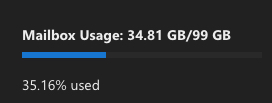
However, by running the below powershell command, we can see true mailbox size factoring in Recoverable Items:
Get-MailboxFolderStatistics -identity [email protected] -folderscope RecoverableItems | ft name, folderpath, folderandsubfoldersize
2. Create an in-place archive for the mailbox in question:
Run the following command, which will create an in-place archive for this mailbox:
enable-mailbox [email protected] -Archive3. Run the command below to create a retention tag which moves all recoverable items older than 1 day to archive:
New-RetentionPolicyTag -Name "Move Recoverable Items To Archive" -Type RecoverableItems -AgeLimitForRetention 1 -RetentionAction MoveToArchive4. Create a new retention policy and add the above retention tag (plus any other retention tags you want):
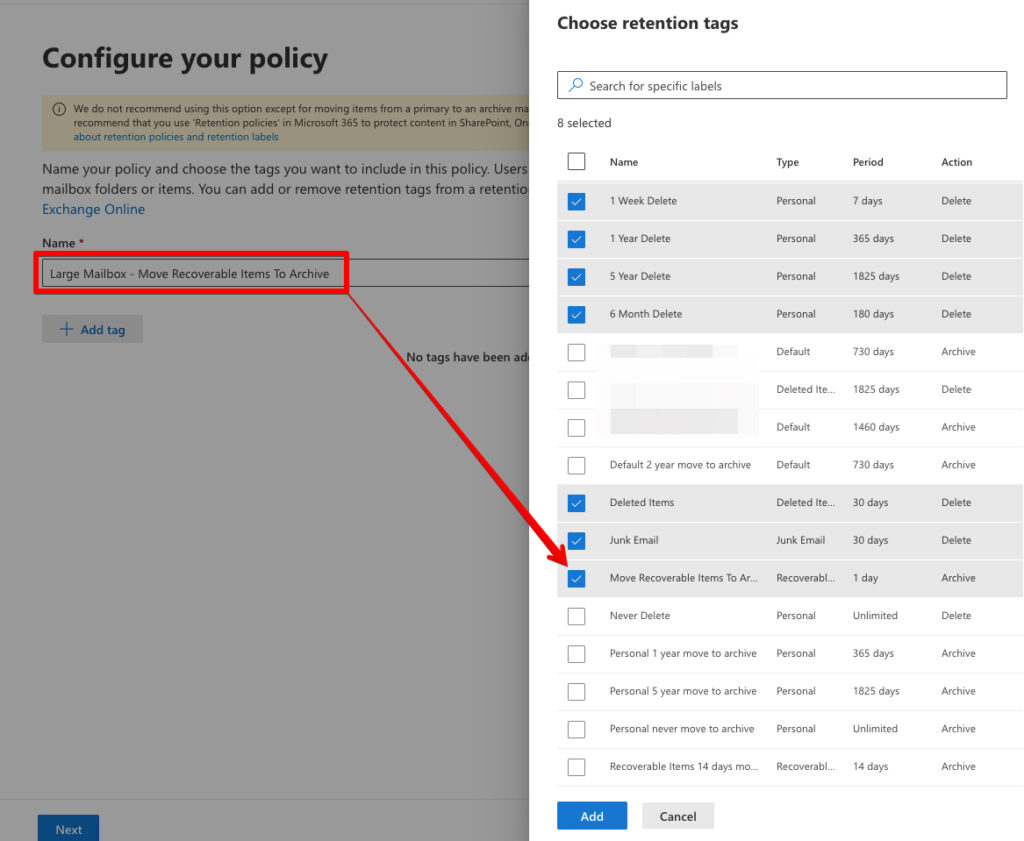
5. Apply the retention policy to the mailbox:
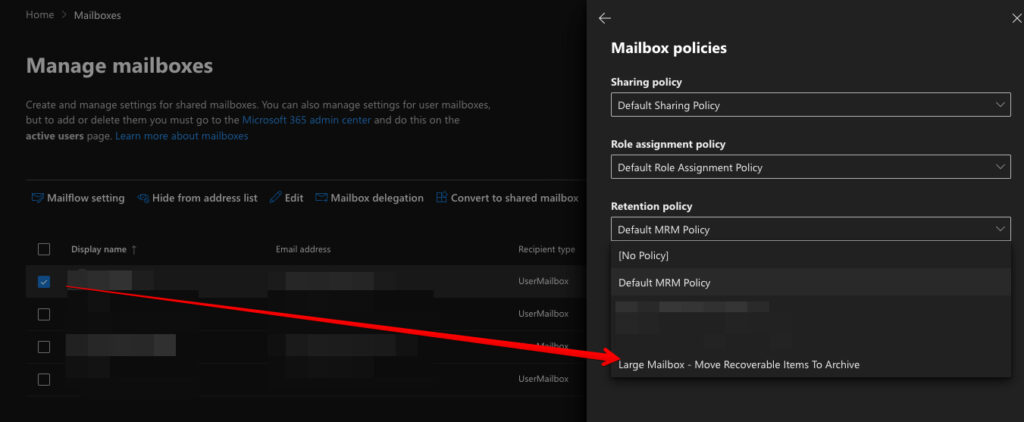
6. Run the below command to force the managed folder assistant process to run and start moving Recoverable Items data to the in-place archive:
start-managedfolderassistant -identity [email protected]Note that the managed folder process can take some time, it’s a low priority service and just takes time.
You can run the below command a few times to confirm that the Recoverable Items folder is gradually reducing in size:
Get-MailboxFolderStatistics -identity [email protected] -folderscope RecoverableItems | ft name, folderpath, folderandsubfoldersize